◎
Dynamic EQ
Every bell and shelf can compress or expand, above or below threshold, with auto timing and an external sidechain.
VST3 · CLAP · Standalone — made for FL Studio
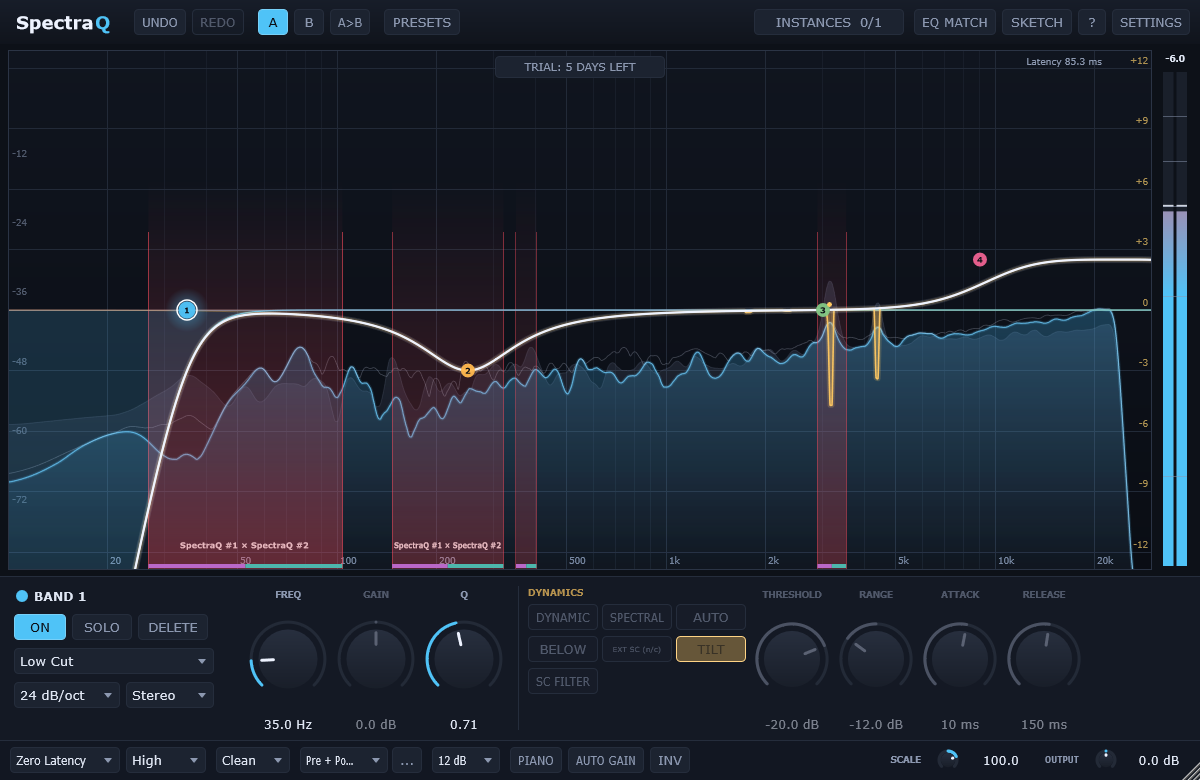
SpectraQ is a 24-band dynamic and spectral equalizer. Tame resonances down to one frequency, see where your tracks clash, and shape sound with phase-perfect precision.
Windows 64-bit · Every feature unlocked in the trial · No account needed
Spectral dynamics
Instead of turning a whole band down, SpectraQ listens to every frequency inside the band and only touches the ones that stick out — harsh vocal resonances, ringing snares, whistling guitar tones.
Instance list & clash detection
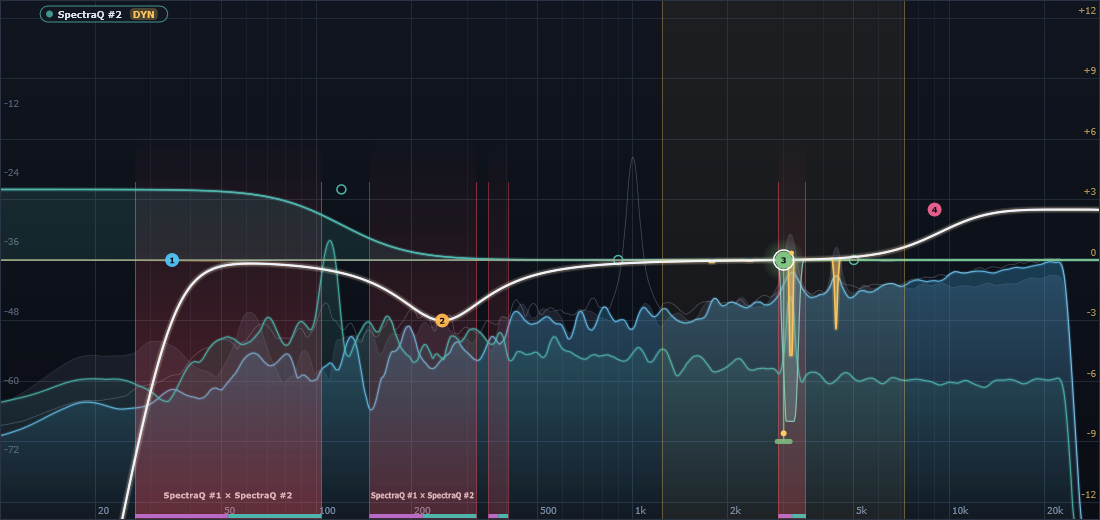
Every SpectraQ in your project knows about the others. Overlay any insert on the display in its track colour — its EQ curve, its live dynamics and its spectrum — and SpectraQ highlights the exact frequencies where two tracks mask each other.
Everything a modern EQ should do
Every bell and shelf can compress or expand, above or below threshold, with auto timing and an external sidechain.
Zero Latency, Natural Phase (analog-matched) and Linear Phase with selectable resolution.
Match your track to a reference — the sidechain or any other SpectraQ instance — in one click.
Draw the curve you want and SpectraQ fits real bands to it.
Click a peak in the analyzer to drop a band right on it and keep dragging.
Place each band on stereo, left, right, mid or side — even in linear phase.
Snap bands to musical notes and read every frequency as a note name.
Clean, Subtle or Warm analog-style saturation, plus Auto Gain and Gain Scale.
Undo / redo, A/B compare, presets, copy & paste bands between inserts, MIDI learn.
Pre / post / sidechain spectrum, peak hold, hover readouts, freeze and collision view.
Bell, shelves, cuts, notch, band pass, tilt, flat tilt, all pass — up to 96 dB/oct and brickwall.
60 fps GPU graphics, gliding nodes and curves, any window size up to full screen.
Built for FL Studio
Simple pricing
Windows 10/11, 64-bit · 5 MB
Already trying it? Your settings stay — just paste the key.
FAQ
After 5 days SpectraQ passes audio through unprocessed and shows a screen where you can buy a license or paste your key. Your projects and settings are kept — enter the key and everything works again instantly.
Yes. SpectraQ is a VST3 and CLAP plug-in, tested in FL Studio 2026. It also works in any other Windows DAW that loads VST3 or CLAP, and as a standalone app.
Right after paying you see your key on the thank-you page, and it is emailed to you. In SpectraQ click the TRIAL button (or Settings › Buy / enter license key), paste it and click Activate.
Yes — your license is personal and works on all computers you use.
SpectraQ is Windows 64-bit for now.
Email support@ciraly.com and we will get back to you.